

The HR Request Is Clearer Once You Know the Role
Your employer is elsewhere. Your documents are with you. A local representative may help connect the two, without notarizing Form I-9.
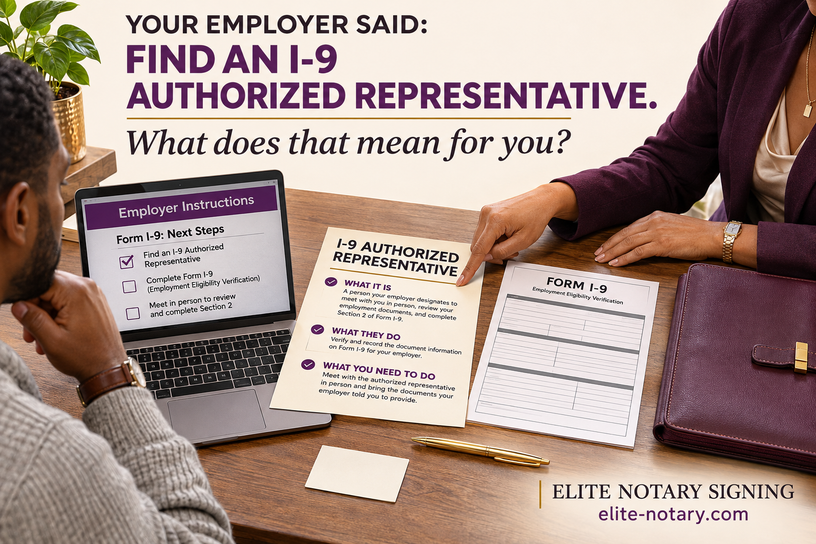
The onboarding email says to find someone nearby to review your documents. Then it mentions a notary. You are ready to start work, but you are not sure whether to book a notarization or ask HR another question.
Start by asking whether your employer permits Elite Notary Signing to act as its Form I-9 authorized representative. ENS offers this separate service by appointment in Duluth, Gwinnett County, and Metro Atlanta. Form I-9 is not notarized.
The useful item to have ready is the employer’s instruction email. It tells us what process the appointment needs to support.
What Is an I-9 Authorized Representative?
An authorized representative acts on the employer’s behalf for the assigned Form I-9 review and completion. The employer designates the representative; the employee cannot complete the employer’s attestation for themselves.
A notary public may serve in this separate role where permitted. The appointment does not call for a notary stamp or certificate on Form I-9. USCIS explains this distinction in its published Form I-9 questions and answers.
An I-9 authorized representative acts for the employer during the assigned verification step. Elite Notary Signing may provide local support when the employer permits it. Confirm HR’s instructions before scheduling; this service is separate from notarization.
Ask HR for the Appointment Instructions
“Find a notary” leaves several practical details unanswered. Does the employer permit a third-party representative? Is there a paper form or an electronic workflow? Who provides access? Where does the completed work go?
Before booking, request the employer’s contact name, completion deadline, representative instructions, and approved return method. Ask how the representative will receive any platform invitation. Share instructions with ENS, rather than your employee password.
Written instructions are a useful appointment preparation step. They are not a claim that federal rules always require a separate authorization letter or contract.
You Choose From the Official Document Lists
The U.S. Department of Justice’s Form I-9 guidance explains that employees choose acceptable documentation. At initial verification, this generally means a List A selection or a List B and List C combination. Follow the official instructions for exceptions and special situations.
Do not assume you must bring a passport simply because you are meeting a notary. Review the current official lists and choose what to present. ENS does not prescribe a particular document combination for you.
For an in-person document examination, plan to present the required original documentation, subject to the official exceptions. A photo in your phone is not a substitute simply because it is easy to share. Ask HR about unusual document or receipt situations before the appointment.
Turn the Email Into a Clear Appointment Request
Ask HR whether ENS may act as the employer’s authorized representative.
Have HR provide the form or platform process, contact person, and completion deadline.
Use the official Lists of Acceptable Documents and bring the documentation required for the confirmed in-person process.
Know the approved submission method and who at the employer will receive the completed work.
The email starts the process.
The right role makes the next step clear.
How ENS Supports the Employer’s Process
ENS can review the appointment instructions, discuss the location and timing, and determine whether the requested representative service fits the employer’s workflow. Service is confirmed after those details are reviewed.
The representative appointment does not replace the employer’s responsibilities. USCIS states that employers remain responsible for violations connected with the form or verification process, including those committed by their designated representatives.
For a remote employee working from home in Gwinnett County, a local appointment can provide a practical place to complete the assigned in-person step. It does not mean every remote employee needs the same procedure. HR must identify the process it is using.
Keep Sensitive Records Within the Approved Process
Start your ENS inquiry with the service request, location, deadline, and HR contact. Do not send identity-document images or account credentials in an initial scheduling email.
Ask the employer how records should be transmitted and retained. If instructions are incomplete or a document question needs employer guidance, resolve that before treating the appointment as finished.
Elite Notary Signing
Need a local I-9 representative appointment?
Share your employer’s instructions, HR contact, location, and completion deadline so ENS can review the requested service.
Add comment
Comments