

Bring One Complete, Confirmed Document to the Signing
An earlier printout. An updated attachment. Before the signing, make sure the copy in the folder is the one intended for use.
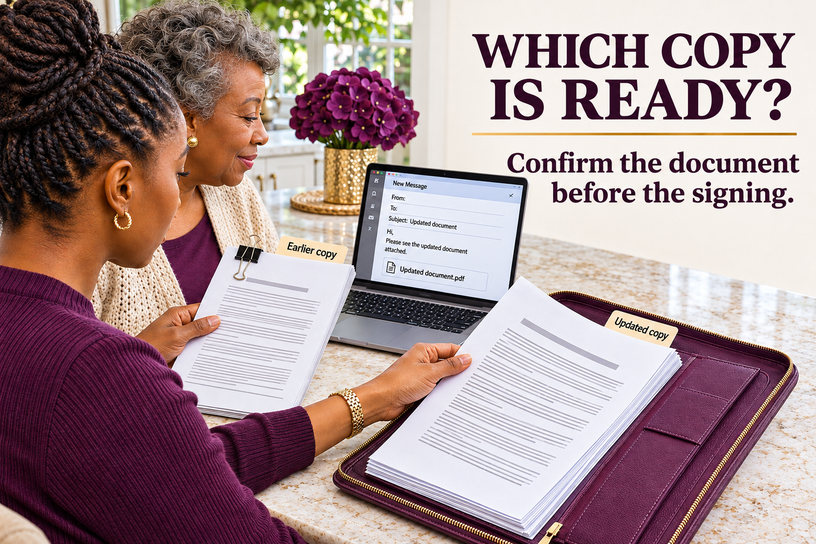
The older packet is clipped together on the table. An email on the laptop says an updated document is attached. Beside it sits another printed copy, already tucked into the folder for the notary appointment.
For a moment, everything looks ready. Then someone asks, “Are these the same pages?”
If you are arranging a signing with Elite Notary Signing, this is a useful question to settle before the appointment. ENS provides mobile notarization for eligible completed documents in Duluth, Gwinnett County, and Metro Atlanta. Confirming the intended copy first gives the signer and notary a clear document to work with.
You do not need to reorganize every family record. Begin with the paperwork that needs attention now: which complete copy did the document provider intend you to use?
Which Copy Should Go to the Notary?
Use the complete version confirmed by the person or organization that supplied or requested the document. Keep its signing instructions with it. If copies differ, ask for clarification before signing or combining pages.
A Familiar Folder Can Hold an Unfinished Question
A folder can make paperwork look settled. The pages are printed, the appointment is on the calendar, and someone has offered to drive. Yet those arrangements do not tell you whether the copy inside is the one intended for signing.
Imagine a daughter helping her mother prepare a completed authorization supplied by an attorney. The mother has an earlier printout. The daughter has a later email attachment. One packet has an extra page. Neither person needs to guess what changed or explain the legal difference. They need the attorney’s office to identify the complete version and confirm the signing instructions.
This is an illustration, not an ENS client account. The same practical question can arise with an employer’s form, a school request, or paperwork a financial institution has supplied. The source that knows the request should resolve the version question.
Ask for Confirmation That Identifies the Document
“Is this the right one?” can be difficult to answer when several files have similar names. Make the question specific enough for the provider to identify the copy.
“I have the attachment sent on [date], titled [document title], with [number] pages. Is this the complete version intended for signing? Please confirm the signer, witness, and notarial instructions that go with it.”
Use the provider’s agreed communication method. A file marked “updated” or “final” is a helpful clue, but the label alone cannot establish that the document fits the current request. Keep the provider’s confirmation with the copy it identifies.
If wording, page counts, or signature sections differ, leave the copies intact while you ask. Do not create a new packet by taking a page from one version and attaching it to another.
Move From Several Copies to One Signing Packet
Once the provider identifies the intended document, keep the following details together. These are practical preparation steps, not a separate legal requirement imposed by this article.
Keep the complete confirmed copy
Print or retain every page supplied for the signing. Compare the page count with the provider’s confirmation. Ask about a missing page rather than reconstructing it.
Attach the instructions that belong to it
Keep the written signing directions with that version, including required signers, confirmed witness instructions, and any notarial instructions supplied by the provider.
Separate the earlier copy
Place earlier drafts and supporting records in a different folder or clearly separate location. Retain records according to the advice and requirements that apply to them. Separating a copy does not mean destroying it.
Confirm the appointment details with ENS
Share the document type, signer count, location, preferred timing, and known witness needs. Discuss the identification plan and access arrangements before the visit.
Keep the return instructions visible
Record where the document goes after signing and whether the recipient expects an original, an upload, or another delivery method. Notarization and submission are separate steps.
Finding the document is the beginning.
Confirming the copy makes the next step clearer.
Where the Notary’s Role Begins
The document provider answers which copy is intended for use. The notary performs the requested notarial act when the applicable requirements are met. Those responsibilities address different questions.
Georgia’s official notary guidance describes authorized acts such as taking acknowledgments, administering oaths, and witnessing or attesting signatures. It also requires confirmation of the signer’s, oath taker’s, or affirmant’s identity through personal knowledge or satisfactory evidence.
A notarial certificate records the notarial act. It does not establish that an attachment is the newest version or resolve a disagreement about which legal document should be used. If that question remains open, return to the provider or qualified counsel.
How ENS Supports the Signing
Once the completed document and requested service are identified, ENS can discuss signer participation, identification, confirmed witness needs, location, access, and timing. Mobile appointments may be available at homes, offices, hospitals, care facilities, and other agreed locations, subject to readiness and availability.
For someone helping a parent at home, or a professional coordinating a facility visit, that means the practical arrangements can be built around the actual signing request. If the provider sends a replacement document after an appointment is arranged, notify ENS so changes to the signer count, witness plan, or appointment scope can be discussed.
Keep the provider’s contact details available for unresolved document questions. ENS supports the notarial procedure and appointment arrangements; legal interpretation remains with qualified counsel.
A Small Note Can Keep the Copies From Drifting Apart Again
Beside the confirmed packet, record the document title, provider, confirmation date, page count, and storage location. The Family Record Locator is designed for those details. It helps someone find the copy without copying private information into another file.
Leave passwords, identification numbers, medical details, and financial balances out of that note. Its purpose is to point to the record, not reproduce it.
Before your notary appointment, ask the document provider to confirm one complete copy. Keep that document, its signing instructions, and its return directions together. Then give ENS the details needed to review the appointment.
The next person who opens the folder should be able to tell which copy belongs at the signing.
Bring the confirmed document. We can discuss the signing.
Share the document name, signer count, confirmed witness needs, location, and preferred timing.
Add comment
Comments