

Employment Verification Support | I-9 Document Readiness | Metro Atlanta Authorized Representative Appointments
Why gathering identification and employment records before the hiring process accelerates matters more than most job seekers realize until onboarding stalls.
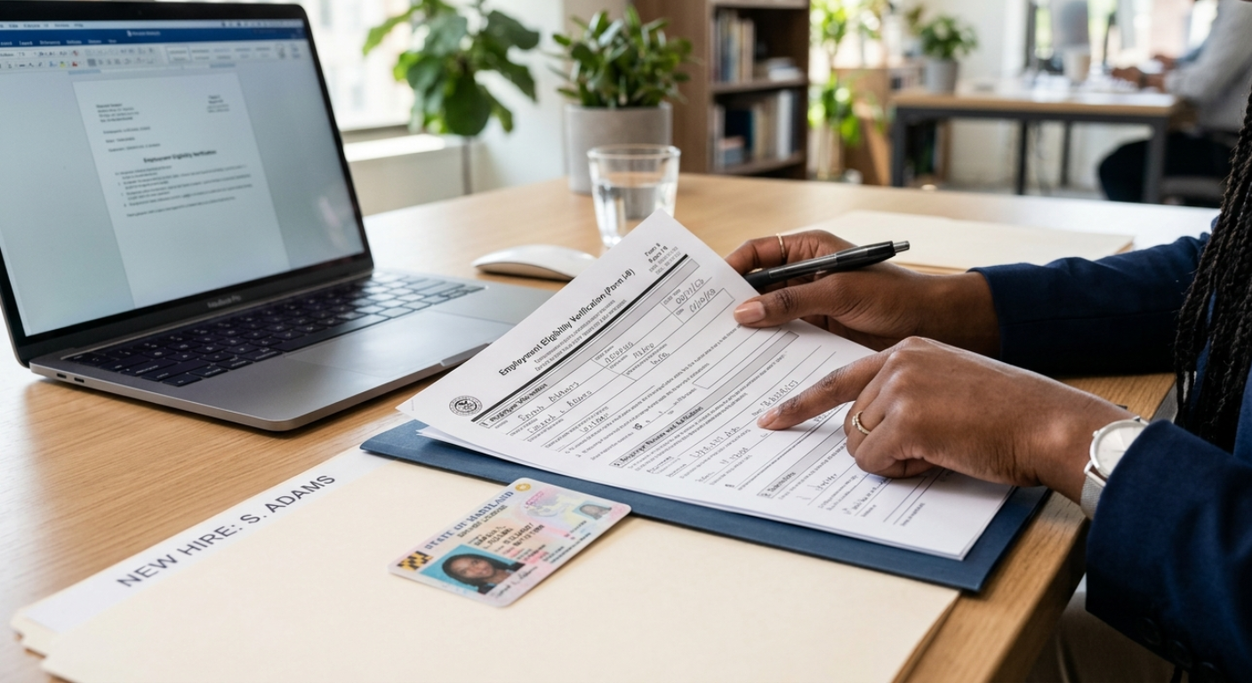
When an interview is already on the calendar, the document conversation feels like it can wait. It usually cannot. Form I-9, Employment Eligibility Verification, must be completed within three business days of a new hire's first day of work for pay, and employment records that seem easy to locate often surface gaps once the pressure of a start date arrives. This article explains what to gather, what commonly delays the process, and where Elite Notary Signing (ENS) may be able to help with authorized representative appointments.
In This Article
The Moment the Interview Gets Confirmed
The message arrived on a Tuesday afternoon. After two rounds of interviews and a week of waiting, the confirmation came: the position was moving forward, and the interview was scheduled for Thursday morning. The relief was immediate, and so was the mental pivot toward preparation. What to wear. What questions to research. Where to park.
What did not come to mind right away was the employment verification paperwork. Not because it was forgotten, but because it felt like a later step. The interview was the hurdle. Everything after that would sort itself out.
For many job seekers across Gwinnett, DeKalb, and Fulton counties, this is exactly where preparation falls short. The interview goes well. An offer follows. A start date gets set. And then, sometimes within the same week, a request arrives for documents the new hire assumed were easy to produce. A passport that expired. A Social Security card that has not been seen in years. A combination of documents that requires tracking down records from two different places before a three-business-day timing requirement begins counting.
The interview confirmation is the right moment to start gathering employment records, not the onboarding paperwork request.
Why Document Readiness Matters Before the Start Date
Form I-9, Employment Eligibility Verification, is the federal form used by employers to verify the identity and employment authorization of every person hired to work in the United States. The employee chooses which acceptable documents to present from lists maintained by U.S. Citizenship and Immigration Services (USCIS). The employer, or a properly designated authorized representative, completes Section 2 of the form. That completion must happen within three business days of the employee's first day of work for pay.
Three business days sounds like enough time. For someone who knows exactly where their documents are and can access them immediately, it may be. For someone who realizes their driver's license expired, or who discovers that their Social Security card is at a parent's home across the county, three business days can feel very short. Onboarding paperwork does not pause for document retrieval. Start dates do not always flex. And employers are responsible for completing the Form I-9 process accurately and on time, which means missing or unavailable documents can create an issue the employer must address under its own process.
Form I-9 completion has a required timing rule that begins with the employee's first day of work for pay, not the moment documents are requested.
What Commonly Stalls the Onboarding Process
The most common reasons employment verification slows down after an offer is accepted are not complicated. They are predictable. An expired state-issued driver's license that the new hire assumed was still current. A passport that lapsed two years ago and was never renewed because there were no travel plans. A Social Security card that was replaced after a name change but the original is the only one on file with the name that matches current identification. A document combination that needs to be checked against the official USCIS acceptable documents list before the appointment.
There is also the situation that comes up more often than most people expect: a new hire who is remote, or who lives in a different city than the employer's office, and who assumed that scanning documents would be sufficient. For Form I-9, Section 2, a physical review of original documents may be required unless the employer has a specific remote verification process in place. A scanned image of a passport sent through email is not the same as presenting the original document to an authorized representative when the employer's process requires physical review. When that expectation is not confirmed in advance, onboarding can slow down while the logistics get worked out.
Most I-9 delays are not about eligibility. They are about documents that were assumed to be accessible and current but turned out to be neither.
What to Locate and Confirm Before Onboarding Begins
The U.S. Citizenship and Immigration Services I-9 acceptable documents list is divided into categories. Some documents establish both identity and employment authorization, while other documents must be presented in combination. Employees should review the official USCIS acceptable documents list and follow the employer's instructions without being directed to present one specific document when other acceptable options may apply.
Before an offer is accepted and a start date is set, it is worth locating whichever combination of documents you plan to present and confirming each of the following. First, confirm whether the document is current and accessible. Driver's licenses, passports, and employment authorization documents may carry expiration dates, and an expired document may not be acceptable for I-9 purposes. Second, review whether the name on the document matches the name on other records and on the onboarding paperwork. A name discrepancy between records can create questions during Section 2 completion. Third, confirm that the document is physically accessible if the employer's process requires physical review. Not stored at a parent's home, not locked in a safe deposit box at a branch that closes at four in the afternoon, not somewhere in a box from a recent move.
Locate, confirm, and make accessible. Those three steps, done before the start date is set, can reduce the most common sources of I-9 delay.
How ENS Supports the I-9 Verification Process
Elite Notary Signing may assist with Form I-9 authorized representative appointments when an employer properly designates ENS or Chermaine Smith for that specific role. This can be helpful for remote employees, out-of-area employers, small businesses, field staff, or new hires who need a structured in-person appointment in Metro Atlanta.
It is important to understand what this means and what it does not mean. ENS does not determine work eligibility. ENS does not select which documents an employee should present. ENS does not provide legal, immigration, human resources (HR), or compliance advice. The employee chooses their documents from the USCIS acceptable documents list. The employer remains responsible for the Form I-9 process and for ensuring the authorized representative appointment is properly structured. When properly designated by the employer, ENS may assist with the in-person document review and Section 2 completion step according to the employer's instructions. For remote employees, new hires who cannot travel to an employer's office, or employers who need a trusted representative at a Metro Atlanta location, this kind of appointment can help reduce scheduling confusion during onboarding.
ENS supports the Form I-9 completion step when properly designated by the employer. The employer directs the process. The employee chooses the documents. ENS does not make eligibility determinations or provide immigration advice.
One Step to Take Before the Calendar Fills Up
If an interview is already scheduled, or if an offer is likely, this week is a practical time to locate your identification and employment records before the start date conversation begins. Pull out the documents you would present for I-9 purposes. Check the expiration date on each one. Confirm that the name on each document is consistent with your other records and with how you will appear on onboarding paperwork. If anything is expired or missing, begin the replacement process now rather than after a start date is set and the three-business-day timing rule is already running.
For employers who anticipate needing authorized representative support for a new hire in Gwinnett, DeKalb, or Fulton County, reaching out before the start date is confirmed gives more flexibility for scheduling an appointment within the required timing window.
Need authorized representative support for a Form I-9 appointment in Metro Atlanta?
Call 464-333-1638 or submit a scheduling request online to discuss whether an ENS authorized representative appointment is the right fit for your onboarding situation.
Frequently Asked Questions: Form I-9 and Employment Document Readiness
What is Form I-9, Employment Eligibility Verification?
Form I-9, Employment Eligibility Verification, is the federal form used by employers to verify the identity and employment authorization of every person hired to work in the United States. The employee presents acceptable documents, and the employer or authorized representative reviews the originals and completes Section 2 of the form.
When does Form I-9 Section 2 need to be completed?
Section 2 must be completed within three business days of the employee's first day of work for pay. The employee must present original, acceptable documents during that window. Expired documents are not acceptable regardless of when they expired.
Which documents are acceptable for Form I-9 verification?
Acceptable documents fall into categories maintained by U.S. Citizenship and Immigration Services (USCIS). Some documents establish both identity and employment authorization on their own. Other documents must be presented in combination. Employees should review the official USCIS acceptable documents list because this article is not a substitute for the federal document list or the employer's instructions.
Does Form I-9 require notarization?
No. Form I-9 does not require notarization and is not a notarized document. ENS may assist only when an employer properly designates ENS as an authorized representative to complete Section 2 on the employer's behalf. This is a specific role defined by the employer, not a notary service.
Can ENS act as an authorized representative for Form I-9?
ENS may assist when an employer properly designates ENS as an authorized representative for a specific appointment. The employer remains responsible for the Form I-9 process. ENS does not determine work eligibility, select documents for the employee, or provide immigration or human resources advice.
What happens if a new hire cannot produce acceptable documents within three business days?
If an employee cannot present acceptable documents within the required window, the employer is responsible for addressing the situation under its Form I-9 process. Preparing documents before the start date is set can help reduce avoidable delays.
Can a remote employee use ENS for their I-9 appointment?
When an employer properly designates ENS as an authorized representative, ENS can meet with a remote employee at a convenient Metro Atlanta location to support the Section 2 document review process according to the employer's instructions. The employer must set up this arrangement in advance and confirm whether its Form I-9 process requires in-person physical document review, an eligible remote examination procedure, or another employer-approved verification method before scheduling.
Does ENS choose which documents an employee should bring to an I-9 appointment?
No. The employee always chooses which acceptable documents to present from the USCIS lists. ENS does not advise on document selection, determine eligibility, or provide immigration or human resources guidance. The USCIS I-9 Central website at uscis.gov/i-9-central is the authoritative source for document lists and employer guidance.
Schedule an I-9 Authorized Representative Appointment With Elite Notary Signing
If you are an employer coordinating onboarding for a new hire in Gwinnett, DeKalb, or Fulton County and need an authorized representative to complete Form I-9 Section 2, reach out before the start date is confirmed. Scheduling in advance gives more flexibility to work within the required three-business-day timing rule.
Elite Notary Signing offers structured I-9 authorized representative appointment support throughout Metro Atlanta when properly designated by the employer. The employer must designate ENS as the authorized representative before the appointment.
Call 464-333-1638 or submit a scheduling request online.
Elite Notary Signing provides notary and document facilitation services. I-9 verification support is not a notarization and does not require a notary seal. We do not provide legal advice, immigration advice, human resources advice, draft legal documents, choose documents for employees, determine work eligibility, or guarantee acceptance by any agency, school, employer, court, government office, or foreign authority. For Form I-9 compliance questions, consult a licensed attorney or qualified human resources professional. For document list guidance, refer to U.S. Citizenship and Immigration Services.
Add comment
Comments